
- Home
- Audio Inputs
- Band
- Band Type
- Brand
- Features
- Adjustable Gain (84)
- Analog (8)
- Auto-scan (6)
- Back-lit Lcd Display (16)
- Bluetooth Wireless (10)
- Bodypack Transmitter (76)
- Dmss Compatible (18)
- Durable (6)
- Failsafe (20)
- High Quality (6)
- Hobby (8)
- Plug And Play (8)
- Portable (11)
- Stable Transmission (15)
- Stereo (12)
- T-fhss (13)
- Tbd (31)
- Waterproof (9)
- Wireless (69)
- Wireless Handheld (60)
- ... (5344)
- Model
- 3pv (17)
- Adapter (12)
- Blx14 / Pga31 (24)
- Blx24 / Sm58 (14)
- Blx288 / B58 (9)
- Blx288 / Beta58a (17)
- Blx288 / Pg58 (11)
- Dmx512 (13)
- Dx5 (19)
- Ft11 (11)
- Ft11+pr13 (13)
- Kn319 (8)
- Mars 400s (11)
- Mars 400s Pro (12)
- Rode Wireless Go (17)
- Rt5066 (10)
- Spektrum Ar10400t (8)
- T130-t131 (9)
- Ucr411a (8)
- Wpm-200 (42)
- ... (5545)
Lemorele R1030 wireless HDMI 1 transmitter and 3 receivers 1080P60HZ Plug & Play
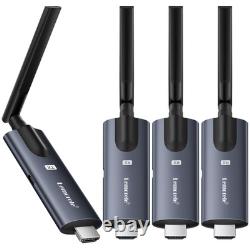
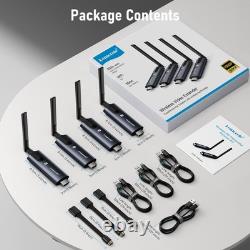
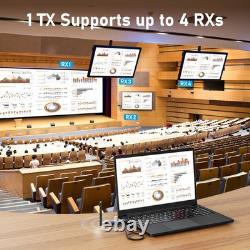
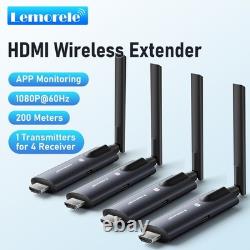
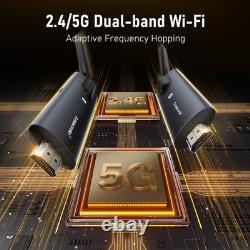
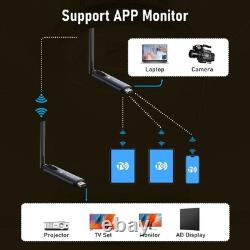


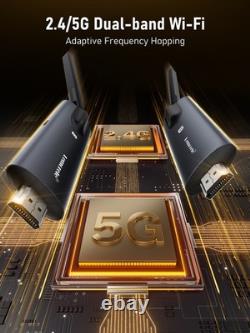
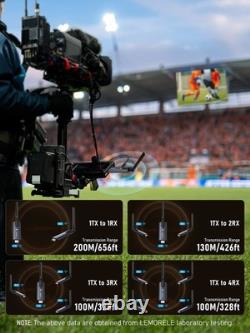


Wireless Video Transmission System: Lemorele R1030 wireless video transmission system, support 200MAX meters HD video transmission. Plug & Play: No need for complicated wiring and computer configuration, simply plug the TX into the HDMI port of your computer or other source device, connect the RX to the HDMI input port of your TV, projector, monitor or whiteboard, and wait 5-10 seconds for a successful projection. 3, transmission distance: transmitter and receiver both use external 5DB gain antenna, in the case of one transmitter and one receiver can achieve 200 meters of wireless transmission distance, in the case of one transmitter and two receivers can achieve 130 meters of wireless transmission distance, in the case of one transmitter and three receivers and one transmitter and four receivers can achieve 100 meters of wireless transmission distance. 4, clarity: through Lemorele self-developed H264 codec technology, in the case of a transmitter and multiple receivers can achieve 1080P60HZ refresh rate, which is very clear for the 200-inch display device.
Wi-Fi frequency hopping through Realtek high-performance modules, even in large venues or conferences can also cope with. Power (very important): To ensure optimal performance, be sure to use a 5V2A power supply to ensure optimal performance of the Wi-Fi module. What happens if the power supply is insufficient?
For example, screen casting is unsuccessful, connection lags, Sudden disconnection, display interface not showing SSD and password, etc. These are all caused by insufficient power. Pairing Method: The device is pre-paired at the factory and does not require re-pairing.
This method is suitable for using the receiver and transmitter together. Connect the receiver's HDMI port to the video input port of a monitor or TV. Adjust the monitor or TV's HDMI signal source to the corresponding HDMI port until the receiver's power-on screen appears, indicating successful power-on. Connect the transmitter to a computer or other device with a USB-C interface and video output function. After the indicator light flashes rapidly, wait for about ten seconds to complete the projection. Pairing Instructions: The product is pre-paired at the factory. If pairing fails due to improper operation or other reasons during use, the device needs to be restored. The re-pairing steps are as follows.Press and hold the receiver's function button for more than 3 seconds. A prompt will appear on the screen: Release the button to pair with Lemorele TX. Wait for the transmitter to enter pairing mode.
Press and hold the transmitter's function button for more than 5 seconds. The indicator light will flash rapidly to indicate pairing.
Wait for the transmitter's indicator light to remain constantly lit to indicate a successful connection.